Sunday morning at a car sharing service in Riyadh. New prices go live in December, and the commercial lead wants to know what is already sitting on top of the current ones: codes from campaigns that ended months ago, a test code nobody switched off, a partner rate that quietly stacks with a public one. Her request to the assistant is one line. Getting from that line to two rules switched off on Wednesday takes four days, a handful of colleagues and one email the assistant can’t read. The business, the rules, the numbers and the dialogue below are an illustrative example, not a customer case, and no results are claimed.
Short answer: List every active promo code and discount rule with when it was last applied to a trip, how many customers used it and whether it combines with others. Take out what was promised in writing: corporate contract rates, prepaid packages, codes sent to customers with a date, and anything a colleague changed recently. Show each remaining rule before and after, with who would notice. A person approves, the team makes the change before the rule’s busy hours, and the next day you read back trips, prices and support messages.
Last updated:
November 25, 2026

Whether the assistant can see when a rule was last applied, how many customers used it and whether it stacks depends on what your installation exposes to it. Where a field isn’t available, the list should say “not visible” for that rule rather than guess, and someone checks it in the control panel.
Nobody forgets a discount on purpose. A campaign ends in the marketing calendar, but the rule in the platform has no end date and keeps running. A code goes to a student club once and is still being typed in seven months later. A partner hotel gets a rate for its guests, and nobody checks whether it stacks with the public weekend code. And there’s always a test code. Each of them made sense on the day someone set it up.
The commercial lead has ChatGPT connected to the platform and types the way you’d type on a Sunday morning:
Commercial lead: list all active promo codes and discount rules. for each: what it gives, when it was last applied to a trip, trips and customers in the last 30 days, does it combine with other discounts. leave out corporate contract rates and prepaid packages. read only, don’t change anything
ChatGPT: 23 active rules. I’ve left out 4 corporate contract rates and 3 prepaid packages, which leaves 16. Nine of them were applied to trips every day this month; they’re at the bottom of the full list. These 7 are rarely used, unusually generous or combine with other discounts:
| Rule | What it gives | Last applied to a trip | Last 30 days | Combines |
|---|---|---|---|---|
| Code NATDAY20 | 20% off driving | 26 Oct | 3 trips, 3 customers | No |
| Code RAMADAN15 | 15% off driving | 2 Apr | None | No |
| Code TEST100 | 100% off a trip | 3 Aug | None | Yes |
| Vehicle discount “Summer midday” | 15% off driving on 20 cars in open-air lots, 12:00–16:00 daily | Yesterday | 212 trips, 160 customers | No |
| Code UNICLUB25 | 25% off driving | 21 Nov | 12 trips, 9 customers | No |
| Code SORRY25 | SAR 25 off one trip | 18 Nov | 6 trips, 6 customers | No |
| Code WEEKEND10 | 10% off driving, Fri–Sat | Saturday | 74 trips, 61 customers | Yes |
ChatGPT: 9 of the 61 WEEKEND10 customers also have the “Hotel guests” partner rate, 20% off. With both they pay 72% of the normal price. What I can list depends on how your installation is set up and what your login may see.
Seven rows, and the first urge is to end five of them before lunch. We’d wait. The table shows what each rule does and how often it fires. Which of them somebody promised to a customer is a different question, and it’s the one that turns a tidy-up into a complaint.
TEST100 is the exception. A 100% code that combines with everything has no business being live, whatever its story. The lead ends it in the control panel before ten and asks for a read-back: inactive, no trip with it since August.
The last two are the hard ones. Neither shows up in the rule itself.
Operator console · demo data
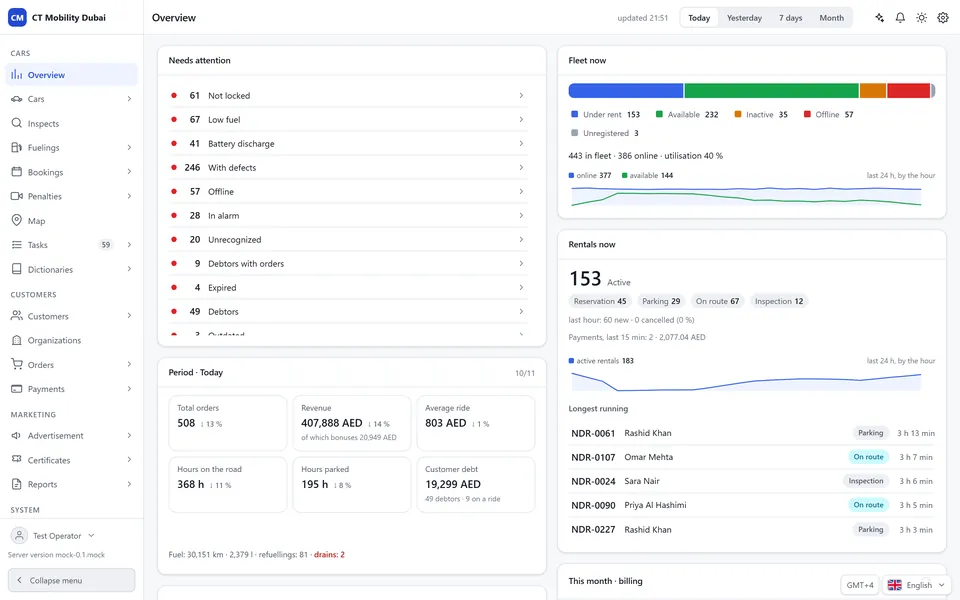
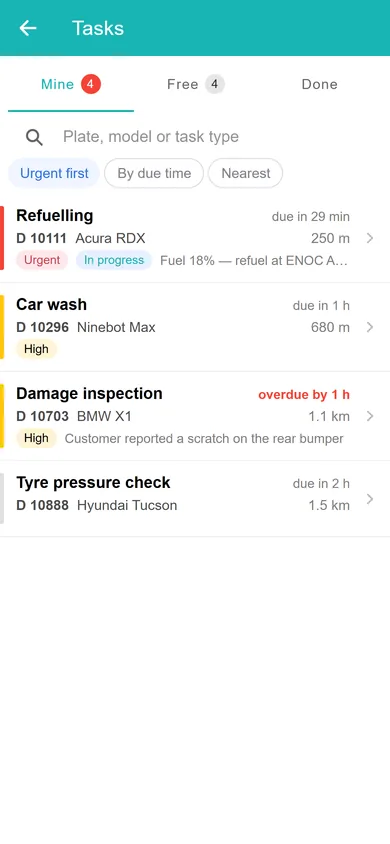
Fleet overview. Utilisation, active rentals, revenue in AED and the cars that need attention: the figures the assistant reads when you ask about your fleet. Technicians get a prioritised task list.
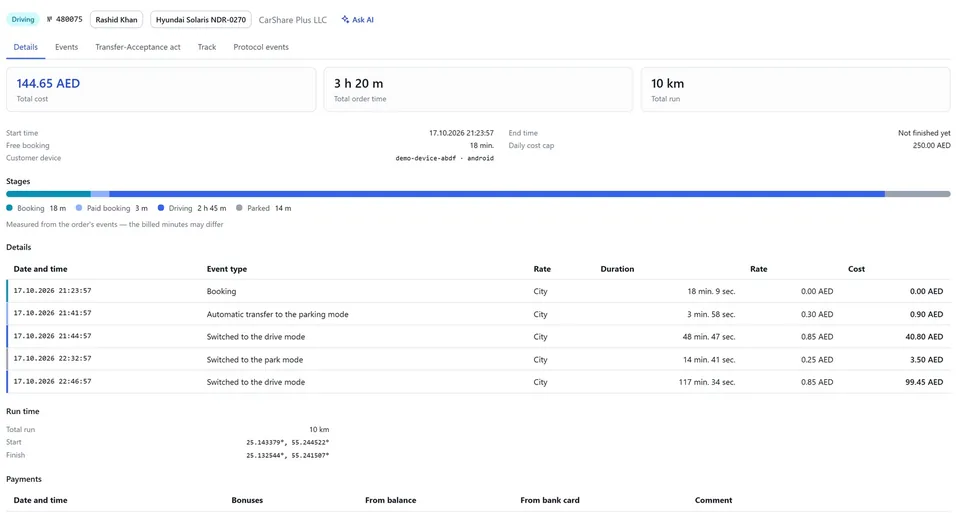
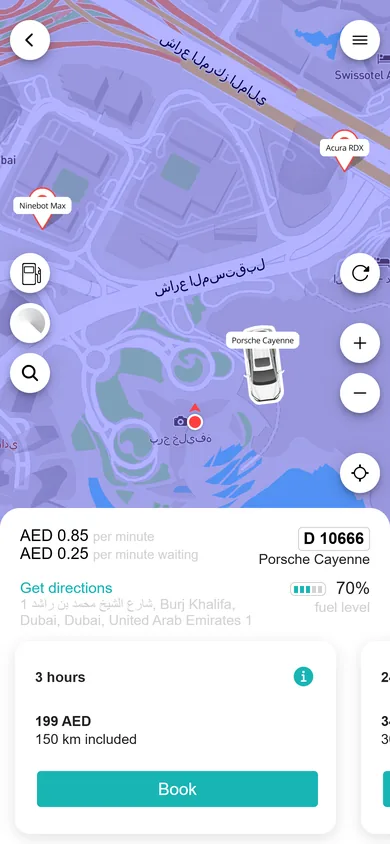
Who had the car. Each rental record shows the driver, the car, the time, the distance, the billing lines in AED and the start and finish points. In the app, customers can choose packages such as 3 hours with 150 km included.
On Monday the lead takes the list to the people who would know. Marketing has the campaign calendar. Partnerships has the club and the hotel. Support, it turns out, sent SORRY25 after the app outage in October.
Commercial lead: sorry25: who got it and what were they told? support sent it after the october outage
ChatGPT: SORRY25 was applied to 6 trips by 6 customers, the last on 18 November. In its settings it has no end date. I can’t see what the customers were told: if it went out by email or SMS, the text and any date in it are outside what I can read. The support lead who sent it has to confirm what was promised.
The support lead finds the email in ten minutes. It says “valid until 31 December”. Had SORRY25 been switched off on Sunday with the others, every customer from that email who hadn’t used it yet would have had a written promise refused at booking. It stays, and a reminder for 1 January goes into the calendar.
The rest of Monday goes the same way. Marketing confirms that “Summer midday” was planned for June to August: Riyadh at 45°C, cars standing in open lots, nobody keen to climb into one at two in the afternoon. The campaign ended on 31 August, the rule didn’t. NATDAY20 was the National Day campaign in September. Nobody in partnerships can find who agreed UNICLUB25 with the club. The hotel’s agreement says 20% for guests and says nothing about the weekend code.
Commercial lead: put it together. for each rule: before and after for the customer, who would notice, and keep / end / ask
| Rule | Before → after for the customer | Who would notice | Decision |
|---|---|---|---|
| NATDAY20 | 20% off → full price | 3 customers in the last 30 days | End on Wednesday |
| RAMADAN15 | 15% off → full price | Nobody since April | End on Wednesday |
| Summer midday | Midday driving on the 20 cars SAR 0.68 → SAR 0.80 a minute | 160 customers in the last 30 days | End on Wednesday; marketing tells customers |
| SORRY25 | No change | 6 customers so far | Keep until 31 Dec: promised by email |
| UNICLUB25 | No change for now | 9 customers | Ask: no one has found the agreement |
| WEEKEND10 with “Hotel guests” | No change | 9 hotel guests who stack both | Ask: the partnerships manager decides |
| TEST100 | Ended on Sunday | Nobody | Done |
The Summer midday row is where the money and the people are. 160 customers drove those cars at 68 halalas a minute last month, and from Wednesday they’ll pay 80. Some will spot it on their first receipt. Marketing writes a short in-app message for the customers who used the discount and sends it themselves. Messages to customers are their call, and they weren’t part of this request.
The approval is one line from the commercial lead in the team chat: end NATDAY20, RAMADAN15 and Summer midday on Wednesday at 10:00. Why ten? The midday discount starts at 12:00, so no trip can be running under it, and the other two get checked right before the change.
Commercial lead: read the three rules again and compare with sunday’s table. any trips running with them right now?
ChatGPT: NATDAY20 and Summer midday are exactly as on Sunday. RAMADAN15 isn’t. On Sunday it was active with 15% off driving. Now it’s inactive and gives 20% off driving to new customers only. I can see the rule as it is now and what I showed you on Sunday. I can’t tell from here who changed it or why. No trip is running with NATDAY20 or Summer midday.
Plenty of cleanups would carry on at this point and switch RAMADAN15 off anyway, since that was the plan. The lead asks in the marketing channel instead. A colleague reworked the code on Tuesday for the Ramadan campaign in February and switched it off until then. RAMADAN15 leaves the batch. It’s his now.
At 10:00 the pricing admin ends the other two in the control panel.
Commercial lead: done in the panel. read back
ChatGPT: NATDAY20: inactive. Summer midday: inactive. Every other rule on Sunday’s list reads the same as at 09:30, RAMADAN15 included.
On control: Ask your fleet, the MCP server built into CT Mobility, works under each employee’s own login and permissions and is read-only by default. Changes work only if the employee allowed them when connecting and run only after a person confirms, and every call goes into the audit log. We enable it per installation, on request. In this walkthrough the assistant only read; the pricing admin made both changes in the control panel.
Commercial lead: yesterday 12–16 vs the average of the three wednesdays before: trips on the 20 summer midday cars and on all other cars, average price per driving minute on the 20. any trip after 10:00 with natday20 or summer midday?
| Wednesday, 12:00–16:00 | Three Wednesdays before, average | Yesterday |
|---|---|---|
| Trips on the 20 former Summer midday cars | 7 | 5 |
| Trips on all other cars | 97 | 91 |
| Price per driving minute on the 20 cars | SAR 0.68 | SAR 0.80 |
ChatGPT: No trip after 10:00 carries either discount.
Two fewer trips on twenty cars, on one Wednesday, while the rest of the fleet also ran six below its average. The whole midday was a bit quieter. One day can’t tell you whether the open-air cars will lose their midday customers. We’d ask the same question next Wednesday and the one after, and look at those cars on their own.
The support lead counted three messages: two customers asking why midday got dearer and one whose NATDAY20 was refused at booking. All three got the wording from the marketing message.
Cleaning up removes prices. Setting a new one for a zone is the other half of the job, and we walked through it in a tariff change through ChatGPT. A short discount on a handful of slow cars is in the one-week offer for idle cars; it’s also the kind of rule that ends up on a list like this one if nobody removes it.
CT Mobility Solutions F.Z.C. · E-Commerce Hub BC-8, Ajman Free Zone C1 Building, Ajman Free Zone, Ajman, United Arab Emirates
ChatGPT, Claude and other MCP clients. You add your installation address + /mcp in the AI client and sign in with your own CT Mobility login.
There’s no public price. We enable it per CT Mobility installation on request, so the quickest way to find out is to book a demo from the Ask your fleet page and ask about your fleet.
We have repeatedly proven this in practice with dozens of launched projects and years of successful work. Ask our clients who have tried several IT solutions but still remain with us.




