Sunday, 08:30, after a busy Saturday night in Dubai. The car sharing service in this example runs 60 cars inside one drive zone that covers most of the city, and the morning map shows a handful of them sitting in Sharjah and Ajman, where customers ended one-way trips. The ops manager wants the idle ones out of the app before somebody books a car in Al Nahda and starts a trip from a place the service doesn’t cover. The fleet, car numbers and times in this walkthrough are a demo, made up for the example.
Short answer: List every car whose last position lies outside the drive zone polygon, with the position’s age and the distance past the boundary. Leave out cars in a rental, cars with a booking coming up, cars your team placed outside on purpose, cars too close to the border and cars with an old position. Take only the rest off new bookings, after a preview and a confirmation, and read the result back. A field task brings each car home. Once it’s parked inside the zone, you check that and put it back on sale with the same preview, confirmation and read-back; crossing the line on its own changes nothing.
Last updated:
November 10, 2026

A car outside the zone on the 08:30 map can be four different things. It may be parked there. It may be driving through on somebody’s trip. Its last position may be hours old. Or it may be standing right on the boundary, with a GPS fix that wanders a few dozen metres between the towers. Only the first one is clearly a car you’d take off sale.
So the check needs what the map doesn’t show at a glance: how fresh each position is, the zone polygon exactly as the platform stores it (that’s the line the app works with), and how far past it each car stands. We’d also agree one margin with the team, say 100 metres, and treat anything closer as “on the border” for the round.
One thing to settle before anything changes. This whole job is about new bookings. Nothing here stops, locks or slows a car, and a car somebody is driving or has booked stays exactly as it is.
The ops manager has ChatGPT connected to the platform and types the way you’d message a colleague:
Ops manager: which cars are outside the dubai drive zone? how old is the position, how far past the boundary, and are they in a rental or booked today. read only
ChatGPT: 9 cars have a last position outside the “Dubai drive zone” polygon. #226 last reported at 04:50, so I can’t say where it is now.
| Car | Last position | Age | Past the boundary | Rental or booking |
|---|---|---|---|---|
| #204 | Sharjah, Al Nahda | 6 min | 3.1 km | None |
| #219 | Ajman, Al Nuaimiya | 11 min | 14 km | None |
| #245 | Sharjah, Al Khan | 18 min | 6.4 km | None |
| #212 | Ajman, Al Jurf | 9 min | 19 km | None |
| #233 | Al Qudra Road, near the lakes | 1 min | 22 km | Rental since 06:15 |
| #241 | Sharjah, Al Majaz, moving south | 1 min | 5.2 km | Rental since 07:50 |
| #208 | Expo City, south gate | 9 min | 60 m | Booking at 10:00 |
| #250 | JBR, beachfront car park | 7 min | 40 m | None |
| #226 | Sharjah, Muwaileh | 3 h 40 min | 9.8 km | None |
ChatGPT: #233 and #241 are in rentals, and #208 is booked for 10:00. #208 and #250 are less than 100 m past the line, inside your agreed 100 m boundary-review margin, so I’d leave their availability as it is until someone checks where they’re parked.
Two of the nine are trips in progress. The customer on #233 is out on the Al Qudra road, maybe for the lakes, and #241 is heading back from Sharjah. Your zone alerts may already have told support about both, and anything after that follows your rental terms. For this job they stay off the list. So does #208: someone booked it at the Expo City gate for 10:00.
#250 is the Marina-or-JBR case. The polygon’s edge runs along the Marina side of the street, and the car shows 40 metres past it, in the beachfront car park. Between those towers, 40 metres could be where the car really is, or a signal bouncing off glass. It’s inside the agreed margin, so it stays bookable.
Ops manager: 212 is at the partner body shop in ajman on purpose, leave it. anything open on 226?
ChatGPT: #226 has an open alarm, tracker offline since 04:52. There’s no task on it yet.
Taking #226 off sale on a fix from 04:50 would be a guess. It needs a person and a tracker check first.
Operator console · demo data
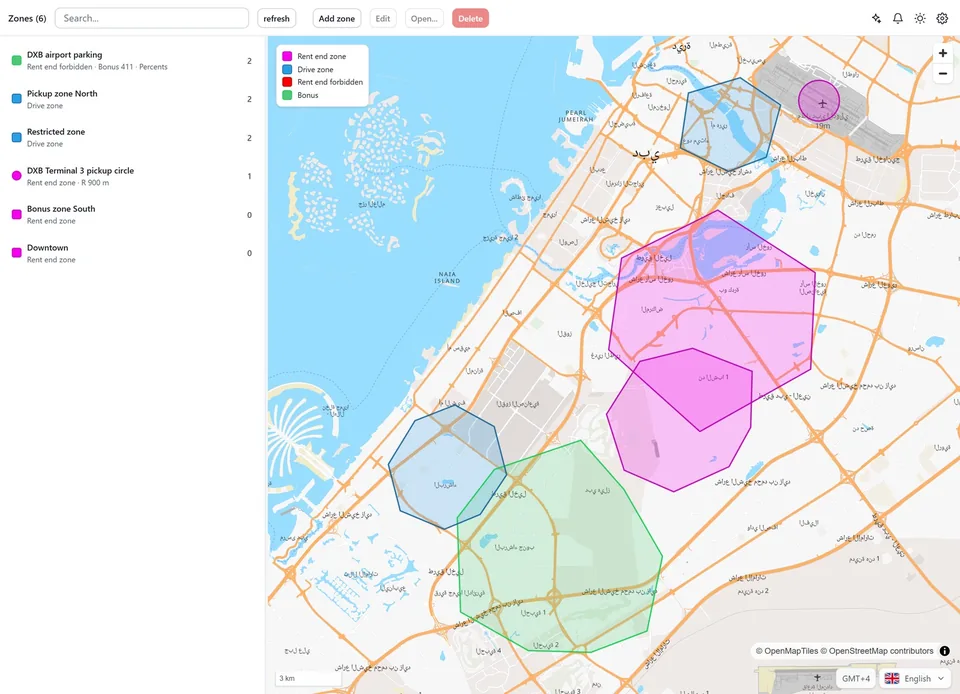
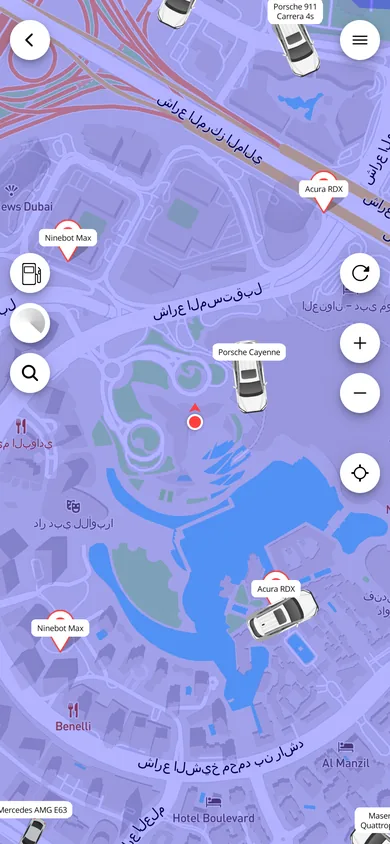
Zones. Rent-end zones, drive zones, restricted zones and an airport parking zone drawn on the map. Customers see the available cars around them in the app.
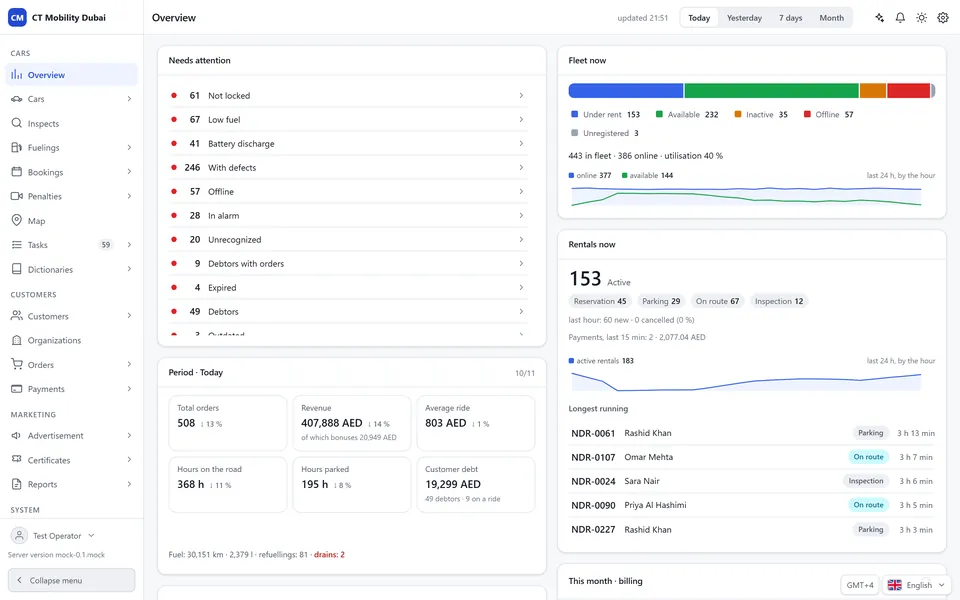
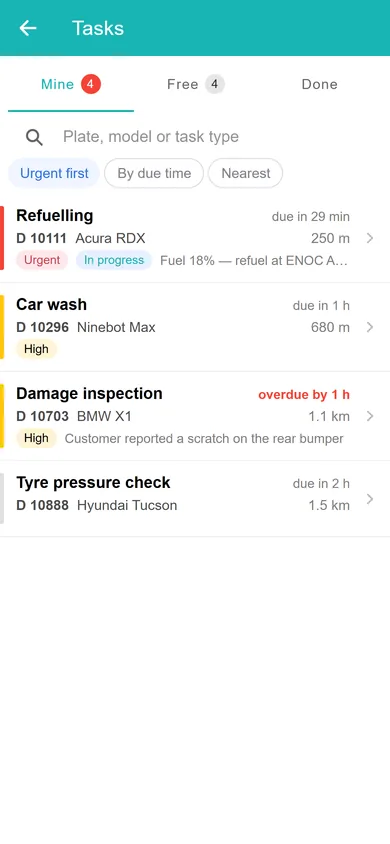
Fleet overview. Utilisation, active rentals, revenue in AED and the cars that need attention: the figures the assistant reads when you ask about your fleet. Technicians get a prioritised task list.
That leaves #204, #219 and #245: parked, positions under 20 minutes old, kilometres past the line, nothing running and nothing booked. How you take a car off new bookings depends on whatever availability setting your installation exposes. In the demo, that means taking the car out of service.
Ops manager: take 204 219 245 off new bookings. show me first
ChatGPT: Here’s the preview. Nothing is saved yet. Right before saving, I’ll check again that none of them has started a rental or picked up a booking.
| Car | Now | After the change | Rental or booking |
|---|---|---|---|
| #204 | Available | Out of service | None |
| #219 | Available | Out of service | None |
| #245 | Available | Out of service | None |
Ops manager: confirm
ChatGPT: Checked again at 08:41: still no rental or booking on any of the three. Saved. Read back from the platform: #204, #219 and #245 show Out of service. The change is in the audit log under your name.
On control: Ask your fleet, the MCP server built into CT Mobility, works under each employee’s own login and permissions and is read-only by default. Changes work only if the employee allowed them when connecting, each one waits for a confirmation like the one above, and every call goes into the audit log. We enable it per installation, on request.
Ops manager: tasks to drive 204 219 245 back to the al qusais car park, and a tracker check on 226. all due 13:00
ChatGPT: Preview, nothing created yet:
| Task | Car | From | Due |
|---|---|---|---|
| Drive to Al Qusais car park | #204 | Sharjah, Al Nahda | 13:00 |
| Drive to Al Qusais car park | #219 | Ajman, Al Nuaimiya | 13:00 |
| Drive to Al Qusais car park | #245 | Sharjah, Al Khan | 13:00 |
| Check tracker, last seen 04:50 | #226 | Sharjah, Muwaileh | 13:00 |
Ops manager: same technician for 204 and 245. confirm
ChatGPT: Created 4 tasks, all with status New. Read back: #204 and #245 with the Sharjah technician, #219 with the Ajman one, the #226 tracker check with the Sharjah technician as well. Each call is in the audit log under your name.
Until a technician actually gets behind the wheel, the three cars stay exactly where they were at 08:30.
Ops manager: this mornings 4 tasks, done? where are the cars now
| Car | Task | Status | Position now |
|---|---|---|---|
| #204 | Drive to Al Qusais | Done 10:55 | Al Qusais, inside the zone, 3 min ago |
| #245 | Drive to Al Qusais | Done 11:40 | Al Qusais, inside the zone, 5 min ago |
| #219 | Drive to Al Qusais | Started 12:20 | Sheikh Mohammed bin Zayed Road, inside the zone, 1 min ago |
| #226 | Check tracker | Done 11:10, note: “tracker restarted” | Sharjah, Muwaileh, 2 min ago |
Ops manager: put 204 and 245 back on. 219 once its parked
ChatGPT: Preview: #204 and #245 from Out of service to Available. #219 stays out of service until it’s parked inside the zone.
Ops manager: confirm
ChatGPT: Saved. Read back: #204 and #245 show Available.
#226 is reporting again, 9.8 km outside the zone with nothing booked, which makes it look like the three from this morning. It goes through the same preview and confirmation, and gets its own drive home.
Why were four cars in Sharjah and Ajman on one Sunday morning? The obvious guess is Saturday-night trips ending near where customers live. That’s a guess. One morning says very little, so before you touch your rental completion zones or the fee for ending a trip outside them, look at where trips ended over a few weeks.
It sits well next to the Thursday check of which cars aren’t ready for the weekend. And when a customer calls about a car on the map they can’t book, here’s how support finds the nearest car they can actually take.
CT Mobility Solutions F.Z.C. · E-Commerce Hub BC-8, Ajman Free Zone C1 Building, Ajman Free Zone, Ajman, United Arab Emirates
Yes, as a rule you set up once. CT Mobility can alert the right person when a vehicle leaves its zone, by push, email or SMS, and turn the alert into a task automatically. See GPS fleet tracking. Deciding which cars come off new bookings stays with your team.
There’s no public price. We enable it per CT Mobility installation on request, so the quickest way to find out is to book a demo from the Ask your fleet page and ask about your fleet.
We have repeatedly proven this in practice with dozens of launched projects and years of successful work. Ask our clients who have tried several IT solutions but still remain with us.




