Thursday, 22:40. A customer calls from the basement car park of a JLT tower: they’ve pressed End trip four times and the timer is still running. Support has three questions at once. End it by hand? Charge the extra minutes? And what broke? This walkthrough follows a real support case with the details changed and the times made up. In that case an administrator ended the rental by hand, the root cause was never proven, and the AI assistant only read data: it didn’t end, fix or change anything.
Short answer: Get the customer moving first, then build one timeline of the booking: every end attempt the server saw, what the car reported (lock, doors, ignition, position, zone), payment steps and what support did. Check each explanation against it and write down which ones the data can’t separate. Engineering gets the timeline and the questions still open.
Last updated:
November 7, 2026
Investigating with an annoyed customer on the line helps nobody. If your policy allows it, an administrator ends the rental in the back office and leaves a note: who, when, why. Tell the customer the extra minutes will be reviewed, ask for a screenshot of the error if they have one, and let them go home. The note matters more than it seems, because tomorrow it’s part of the evidence.
The support lead opens ChatGPT, connected to the platform, and asks for the timeline rather than a cause:
Support lead: booking from last night, customer couldn’t end the rental in JLT. timeline in dubai time: end attempts, what the car reported, payments, anything support or admins did. tell me what you can’t see. don’t change anything.
| Time | Source | What the records show |
|---|---|---|
| 22:04 | Booking | Rental started in Marina |
| 22:31 | Car | Ignition off |
| 22:32 | Car | Last position before the gap: ramp entrance of the tower car park, inside an end-of-rental zone |
| 22:36–22:41 | Server | Four end requests received, each answered with an error; rental still active |
| 22:40 | Support chat | Customer writes that the trip won’t end |
| 22:52 | Admin | Rental ended manually, note: “customer in basement, car not responding” |
| 23:20 | Car | Reports again: locked, ignition off, position in the same building |
ChatGPT: No reports from the car between 22:32 and 23:20. I can’t see the app logs on the customer’s phone or the raw messages between the car’s unit and the server; engineering would have those, if they’re kept.
Note what the table doesn’t say. “No event recorded” between 22:32 and 23:20 means the platform heard nothing, which is different from nothing happening.
| Explanation | What fits | What doesn’t | What would settle it |
|---|---|---|---|
| No signal in the basement | Car silent from 22:32 to 23:20; customer underground | Gaps can have other causes | The unit’s own logs from engineering |
| Outside the end zone | – | Last position was inside the zone, though recorded before the car went down the ramp | A position at the moment of the attempts |
| Car state (door, lock) | Ignition was off | Lock and door state unknown during the gap | The unit’s logs |
| App problem | – | The server received all four requests | App logs, if the customer can send them |
| Payment step | – | No payment events near the attempts | – |
Where that leaves you: a connectivity gap fits best, a zone problem isn’t ruled out, and the app and payment look clean in the records available. Root cause: not proven. That’s a perfectly good answer to send to engineering.
Support lead: has this car gone quiet like this before?
ChatGPT: Two gaps of more than 30 minutes in the last 14 days, both at night, both at the same building.
Now there’s a pattern worth an engineer’s hour. It still needs checking: the same building could mean the same basement, or just the same customer parking there every night.
Operator console · demo data
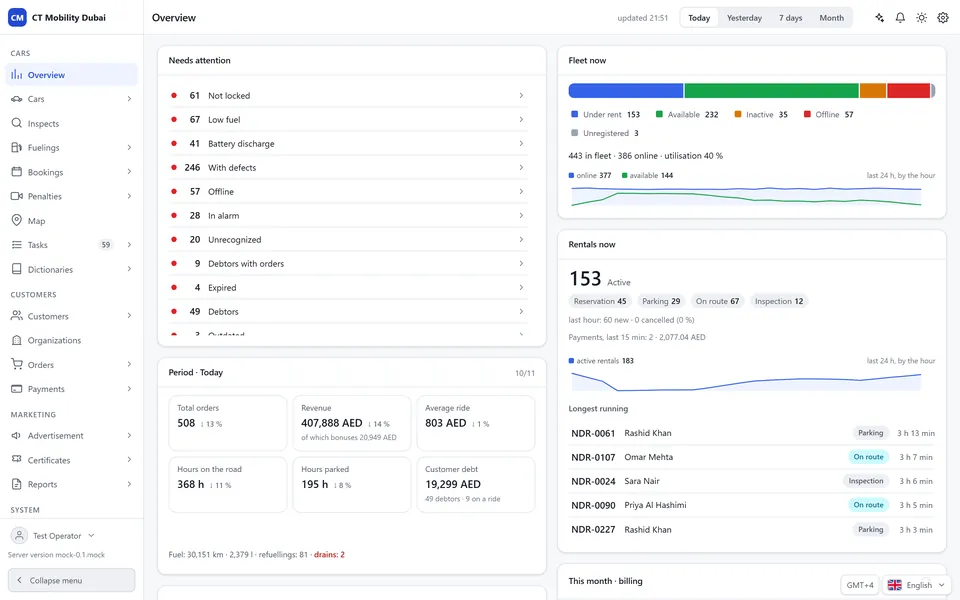
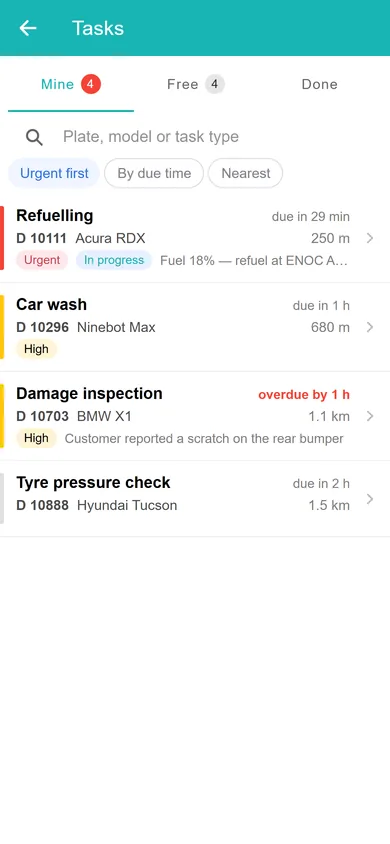
Fleet overview. Utilisation, active rentals, revenue in AED and the cars that need attention: the figures the assistant reads when you ask about your fleet. Technicians get a prioritised task list.
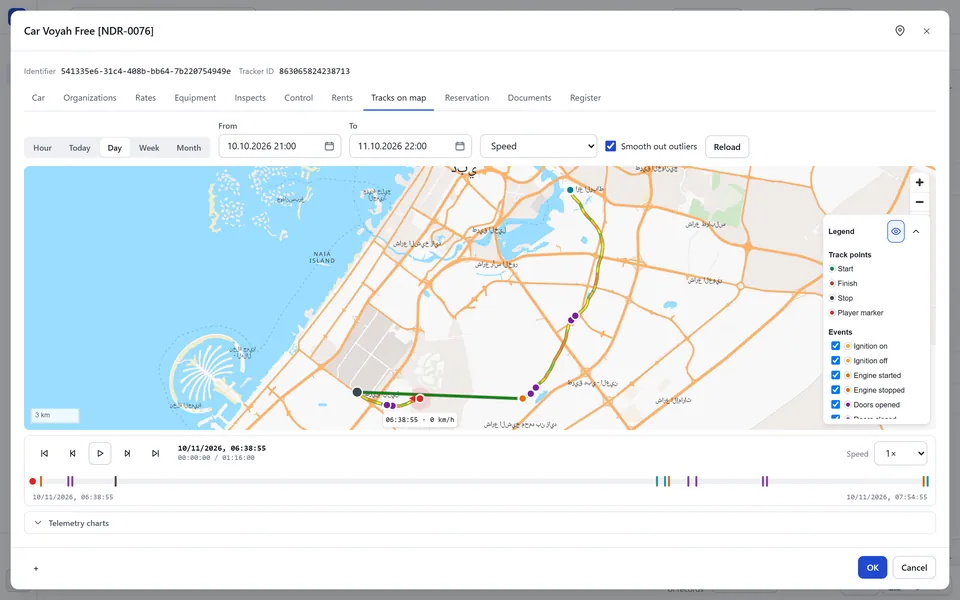
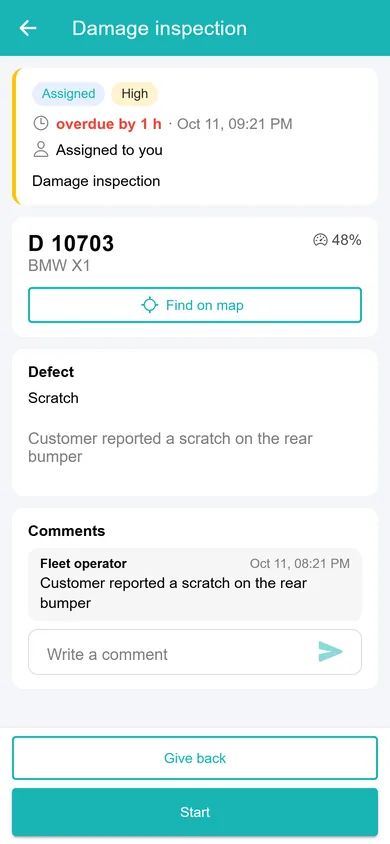
Trips and events. Every trip is stored with ignition, door and speed events, so a question like “who drove this car on Tuesday?” has a recorded answer. Damage reports become tasks for the team.
The assistant drafts both, and a person sends them. The ticket gets the timeline, the explanations still open and what would separate them: the unit’s logs for 22:30–23:20 and whether the earlier gaps came from the same spot. The customer reply is two sentences: the trip was ended at 22:52, and the minutes after the first attempt are being reviewed under your usual policy.
On control: Ask your fleet, the MCP server built into CT Mobility, runs under each employee’s own login and permissions and is read-only by default. Changes work only if the employee allowed them when connecting, each one needs a confirmation, and every call is written to the audit log. We enable it per installation, on request. This investigation needed none of the write side.
More on zone rules in geofencing in shared mobility. Before connecting any AI tool to your back office, read our guide to MCP for car sharing and rental operators; for the platform itself, see the AI car sharing platform.
CT Mobility Solutions F.Z.C. · E-Commerce Hub BC-8, Ajman Free Zone C1 Building, Ajman Free Zone, Ajman, United Arab Emirates
We have repeatedly proven this in practice with dozens of launched projects and years of successful work. Ask our clients who have tried several IT solutions but still remain with us.




