Monday 9 November, 08:10, the fleet office of a fit-out contractor in Al Quoz, Dubai. Two fuel-drop alerts came in over the weekend, one for a pickup and one for a sedan. Next to them lies October’s fuel-card report, back from finance with one line circled and a question mark beside it. The fleet manager has about an hour before the day takes over. Which of the three deserves it? Here’s how we’d sort them with an AI assistant connected to the fleet platform, reading records and changing nothing. The company, the vehicles, the people and every number below are a demo, made up for the example.
Short answer: Check every fuel-drop alert and every doubtful fuel-card line against the same records: the trips around that time with their drivers, the fuel level the vehicle reported after the previous trip and before the next one, any refuelling a driver reported, and the time of the tracker’s last message. A parked vehicle whose level fell a long way between two trips gets a person on site today. A card line with no trip and no rise in level goes back to the fuel provider for the transaction detail. An alert with practically the same level on both sides gets a note in the fleet log.
Last updated:
November 15, 2026
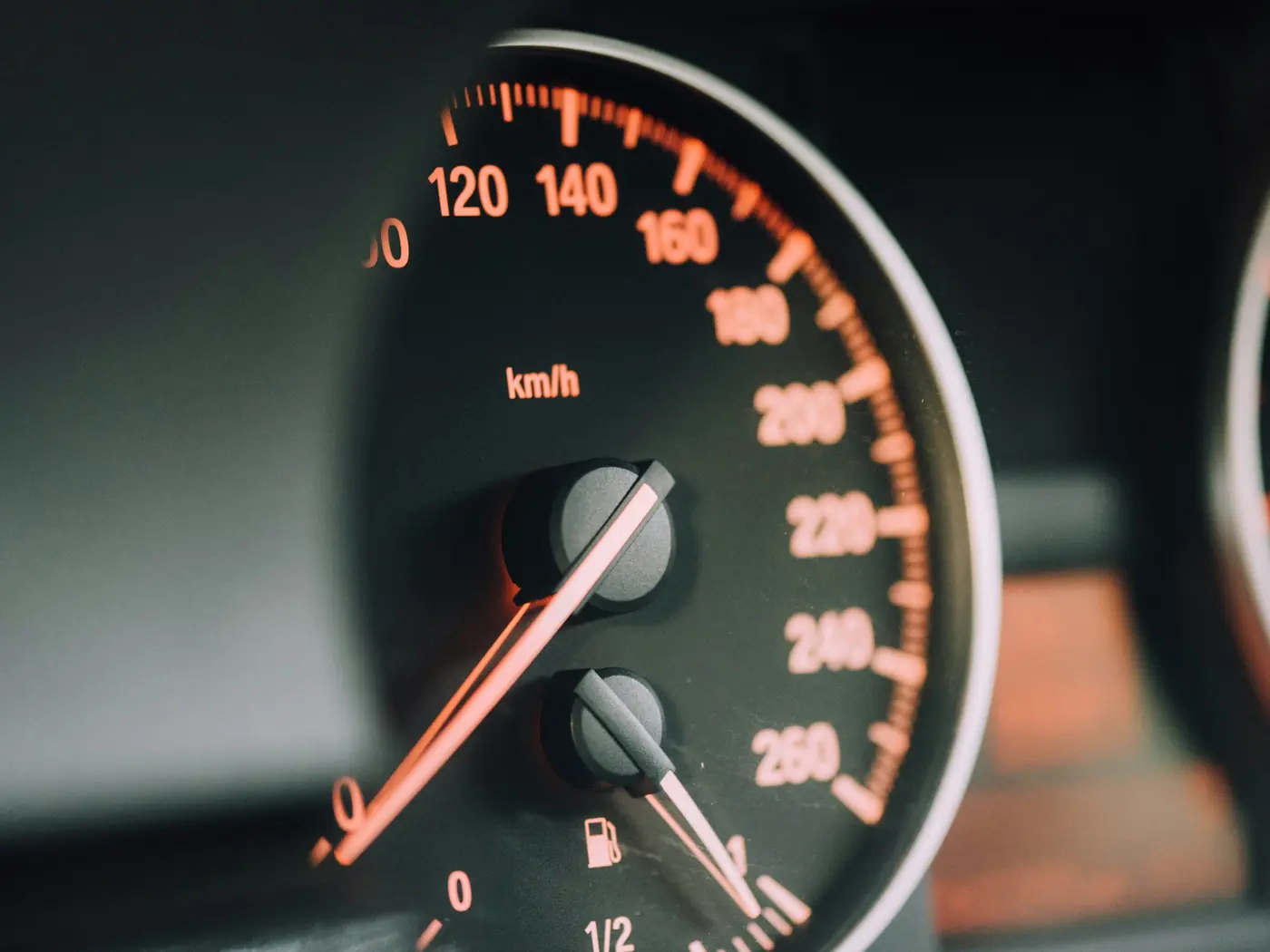
The fleet has 34 vehicles: double-cabin pickups that take crews to sites, and sedans shared by supervisors and the sales team. They spend the night in the company yard in Al Quoz. Every trip starts with a booking and a selfie check, and the driver opens the car from a phone, so each trip in the history has a name on it.
By hand, this morning is four windows. The alert list, for the two alarms. Trip history, car by car, to see who had each one before and after. The map, for where it stood. And the card report in a spreadsheet, because that one is a separate document from the fuel provider and has to be read side by side with everything else. It’s doable. It’s also the kind of job that slides to Thursday.
The manager has ChatGPT connected to the platform and types the whole thing in one go, the way you type before the second coffee:
Fleet manager: 2 fuel drop alarms from the weekend, pickup 131 and sedan 109. for each show the last trip before and the first trip after: driver, times, where it ended, km, fuel level before and after. also any refuelling reported by drivers, and when each tracker last reported. and finance circled a line on the october fuel card report, card of sedan 122: sat 31 oct 22:15, 38 litres, station in al qusais. same check around that time. read only
ChatGPT: Both alarms are open, type “sudden fuel drop”: #131 on Sunday at 02:40, #109 on Saturday at 13:05. All three trackers are reporting, last messages between 08:06 and 08:09 today. The fuel levels are the ones each vehicle’s telematics reported at the start and at the end of a trip.
| Pickup #131 | When | Driver | Trip | Fuel level |
|---|---|---|---|---|
| Last trip before | Sat 06:50–15:20 | Bilal S. | 84 km, ended in the Al Quoz yard | 71% → 58% |
| Alarm, sudden fuel drop | Sun 02:40 | – | No trip or booking | – |
| First trip after | Mon, from 06:35 | Bilal S. | Started in the Al Quoz yard, still running | 31% at start |
| Sedan #109 | When | Driver | Trip | Fuel level |
|---|---|---|---|---|
| Last trip before | Fri 08:10–17:40 | Hana R. | 52 km, ended in the Al Quoz yard | 49% → 41% |
| Alarm, sudden fuel drop | Sat 13:05 | – | No trip or booking | – |
| First trip after | Mon, from 07:20 | Yusuf A. | Started in the Al Quoz yard, still running | 40% at start |
| Sedan #122 | When | Driver | Trip | Fuel level |
|---|---|---|---|---|
| Last trip before | Fri 30 Oct 08:05–16:40 | Deepa M. | 64 km, ended in the Al Quoz yard | 67% → 57% |
| Card line, as you typed it | Sat 31 Oct 22:15 | – | No trip or booking | – |
| First trip after | Mon 2 Nov 07:50–16:30 | Karim A. | 58 km, started in the Al Quoz yard | 56% → 47% |
ChatGPT: No driver reported a refuelling for #131 or #109 after those last trips, or for #122 between 30 October and 2 November. I can’t see the fuel-card report. The 22:15 line is only what you typed.
Nine rows. Read the last column of each table from top to bottom and you can already tell where the hour is going.
#131 came back to the yard on Saturday at 15:20 with 58% in the tank. On Monday at 06:35 the same driver started it at 31%. So 27 points went somewhere while the pickup stood in the yard, and the alarm at 02:40 on Sunday falls inside that stretch. The manager asks the obvious thing first.
Fleet manager: who was driving 131 at 2:40 on sunday? any other alarms on it between the two trips, ignition, doors, leaving the yard
ChatGPT: Nobody. No booking or trip covers Sunday 02:40. Between Saturday 15:20 and Monday 06:35 the fuel drop is the only alarm on #131. There’s no “use outside a booked trip” alarm and no exit from the yard zone.
On the platform’s records the pickup didn’t move. Nothing was booked, and none of the alarms fired that you’d expect if somebody had started it or driven it out of the gate. (This fleet has the yard drawn as a zone and gets the alert for use outside a booked trip. Check that yours does before you lean on a silence like that.) The level at the two ends differs by more than a quarter of a tank, and nothing in the records explains it. This team had agreed to look at anything above 10 points on its pickups, and 27 is a long way past that.
That makes it a plausible loss, and it’s where the hour goes.
It doesn’t come with a name. Bilal S. is in the table twice because he drove the pickup on Saturday and again on Monday; at 02:40 on Sunday there was no driver at all. The records give levels and times. What happened to the fuel in between isn’t in them, so in the fleet log this goes down as “plausible loss, under review”, and the word theft stays out of it until someone has actually seen something.
The rest is legwork for people. Who could get into the yard on Saturday night: the guard’s log and the list of gate keys. The camera that covers the pickup row, for the hours around 02:40. The filler cap and the tank, looked at by a technician when #131 is back this afternoon. And a word with Bilal, as the first person to see the gauge on Monday. Did it look low to him?
This one takes two minutes. #109 ended Friday’s trip at 41% and started Monday’s at 40%. Whatever the telematics saw at 13:05 on Saturday, the tank holds, within a point, what it held on Friday evening.
Fleet manager: has 109 done this before?
ChatGPT: Yes. It’s the third “sudden fuel drop” alarm on #109 since 1 October. The other sedans of the same model have had none in that time.
No case, and nobody gets a call about #109’s fuel. The level comes from the vehicle’s own telematics, and how precise it is depends on the model. Here the same model behaves on the other cars, so our first guess would be this car’s tracker or the way it’s connected to the vehicle. It’s a guess to check: #109 goes on the technician’s list for its next day in the yard.
There’s a second kind of weak signal, and it’s why the first question asked when each tracker last reported. Had the answer for one of the cars read “its tracker stopped sending data at 13:20 on Saturday”, every level after that would be missing or old. You’d get the tracker talking again first and only then form a view about the fuel.
Operator console · demo data
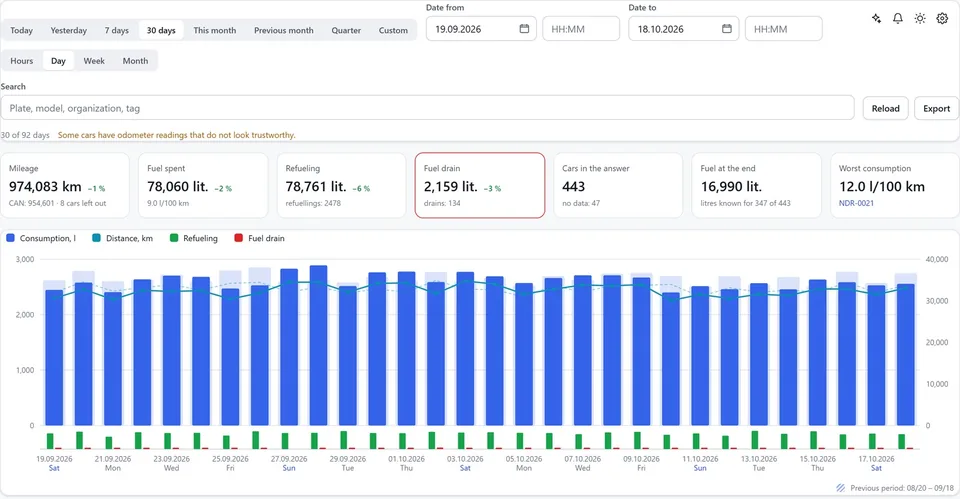
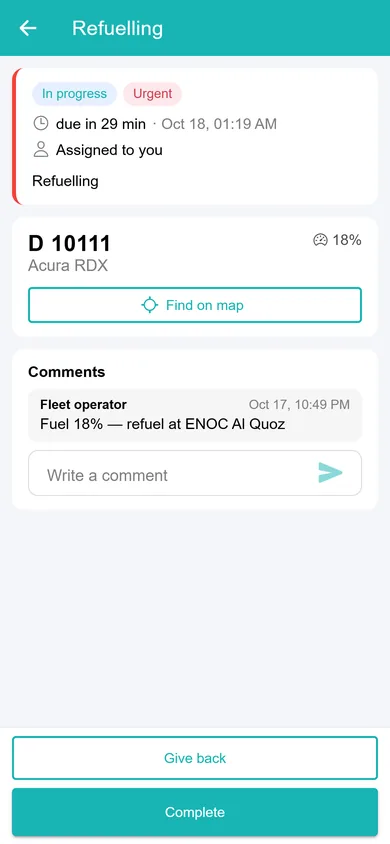
Fuel and mileage. Mileage, fuel spent, refuelling and suspected drains per day: the numbers behind questions about fuel costs. Cars low on fuel become refuelling tasks in the technician app.
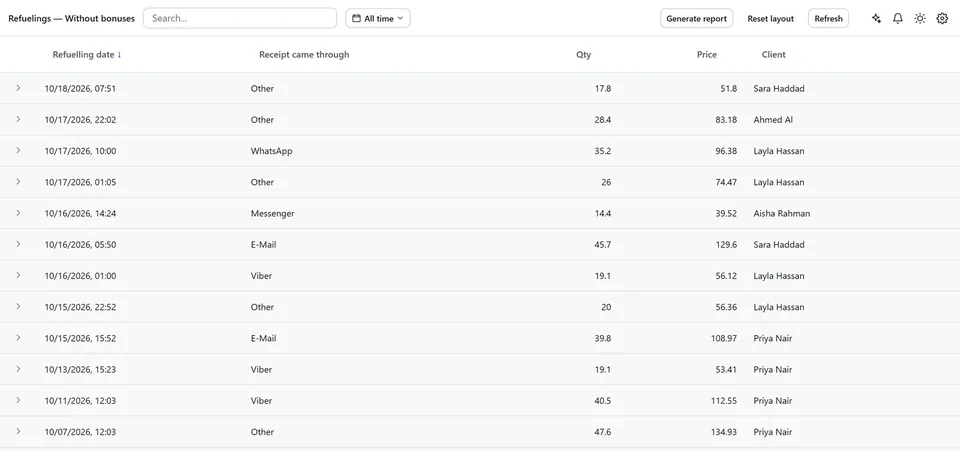
Refuelling receipts. Every refuelling reported by a driver, with the date, litres, price and who refuelled. Technicians close their tasks with a comment, such as the fuel level after refuelling.
The circled line is a different animal. It’s from the weekend before, the last day of October, and half of it lives outside the platform. The fuel-card report is the fuel provider’s document. The assistant can’t open it, so the manager typed the line in as finance had marked it: Saturday 31 October, 22:15, 38 litres, a station in Al Qusais, on the card assigned to sedan #122. Al Qusais is on the other side of the city from the Al Quoz yard.
The platform’s side for #122 is the third table: 57% after Friday’s trip, 56% before Monday’s, nothing booked in between and no refuelling reported.
Fleet manager: was anything of ours out at 22:15 that saturday? any vehicle
ChatGPT: No. No trip on any vehicle covers Saturday 31 October, 22:15. The last trip that day ended at 15:10.
Now a bit of the manager’s own arithmetic, and it is rough. The handbook gives this sedan a tank of about 50 litres, so 38 litres is around three quarters of it. A car standing at 57% has room for a little over 20, so 38 wouldn’t even have gone in. And a tank filled that Saturday night would still have shown full when the next trip started on Monday 2 November. The gauge read 56%.
Put together, there’s a charge on #122’s card at an hour when #122 has no trip, no rise in level and no refuelling record, and when nothing else from the fleet was on the road either. That is a fuel-card charge with no matching evidence, and for now that’s all it is. Whether anybody misused the card is a question these records can’t settle.
So it goes back to where the other half lives. Finance asks the fuel provider for the full detail of that transaction. The fleet manager talks to whoever keeps #122’s card and starts with the line itself. A card can end up in the wrong glovebox and a report can carry a mistake, and it’s cheaper to rule those out first.
Here it was one line. For a whole month you’d export the trip and fuel report for the same dates as the card report and work through the exceptions the same way. That routine, with what the system covers and what it costs, is on our page about the fuel management system for UAE fleets.
By now each item has the same two things written next to it: what the records show and what’s missing. Add a verdict and a name for the next step, and the morning fits in one table.
| Item | What the records show | What’s missing | Verdict | Who does what next |
|---|---|---|---|---|
| Pickup #131, fuel-drop alarm, Sun 02:40 | Parked in the yard, no trip or booking, no other alarm. 58% after Saturday’s trip, 31% before Monday’s | Any record that explains 27 points. What happened in the yard | Plausible loss | Fleet manager: yard access and camera for Saturday night. Technician: filler cap and tank this afternoon |
| Sedan #109, fuel-drop alarm, Sat 13:05 | 41% after Friday’s trip, 40% before Monday’s. Third alarm on this car since 1 October, none on the other sedans of the same model | A drop | Weak signal, no case | Technician: tracker and its connection to the vehicle, next day in the yard |
| Card line on #122’s card, Sat 31 Oct 22:15, 38 litres | No trip on #122 or on any other vehicle. 57% after Friday’s trip, 56% before Monday’s. No refuelling reported | A trip, a rise in level or a refuelling record. The provider’s detail of the transaction | Charge with no matching evidence | Finance: transaction detail from the fuel provider. Fleet manager: a talk with whoever keeps the card |
The table goes to finance as the answer about the circled line, and into the fleet log as it stands. The hour goes to the pickup.
On control: Ask your fleet, the MCP server built into CT Mobility, works under each employee’s own login and permissions and is read-only by default. Changes work only if the employee allowed them when connecting, each one waits for a confirmation, and every call goes into the audit log. We enable it per installation, on request. Everything in this walkthrough was a read. A technician task for #131 is the manager’s decision; where changes are allowed, the assistant can prepare that task and wait for the confirmation.
Low fuel before a booking is a different job, and we walked through it in the Thursday check of which cars aren’t ready for the weekend. The trip record that answered “who was driving at 02:40?” is also the one you’d open for a toll or a fine; here’s how to match traffic fines and Salik to the driver.
What the duty team does before the next booking, when a warning comes at night, is in a separate short case: how to prevent fuel theft in a fleet on a night shift.
CT Mobility Solutions F.Z.C. · E-Commerce Hub BC-8, Ajman Free Zone C1 Building, Ajman Free Zone, Ajman, United Arab Emirates
No. The walkthrough uses the level that comes through the telematics device connected to the vehicle. Which of your models report it well enough is something we check with you during the demo, and we agree then what a pilot should measure. More on fuel and mileage monitoring.
Yes. Alerts go out by push, email or SMS, and an alert can be turned into a task for your team. Who gets it at 02:40 is yours to decide.
There’s no public price. We enable it per CT Mobility installation on request, so the quickest way to find out is to book a demo from the Ask your fleet page and ask about your fleet.
We have repeatedly proven this in practice with dozens of launched projects and years of successful work. Ask our clients who have tried several IT solutions but still remain with us.




